Unlock Amazon Success with the Helium 10 Chrome Extension

Jaša Furlan
Founder & CEO
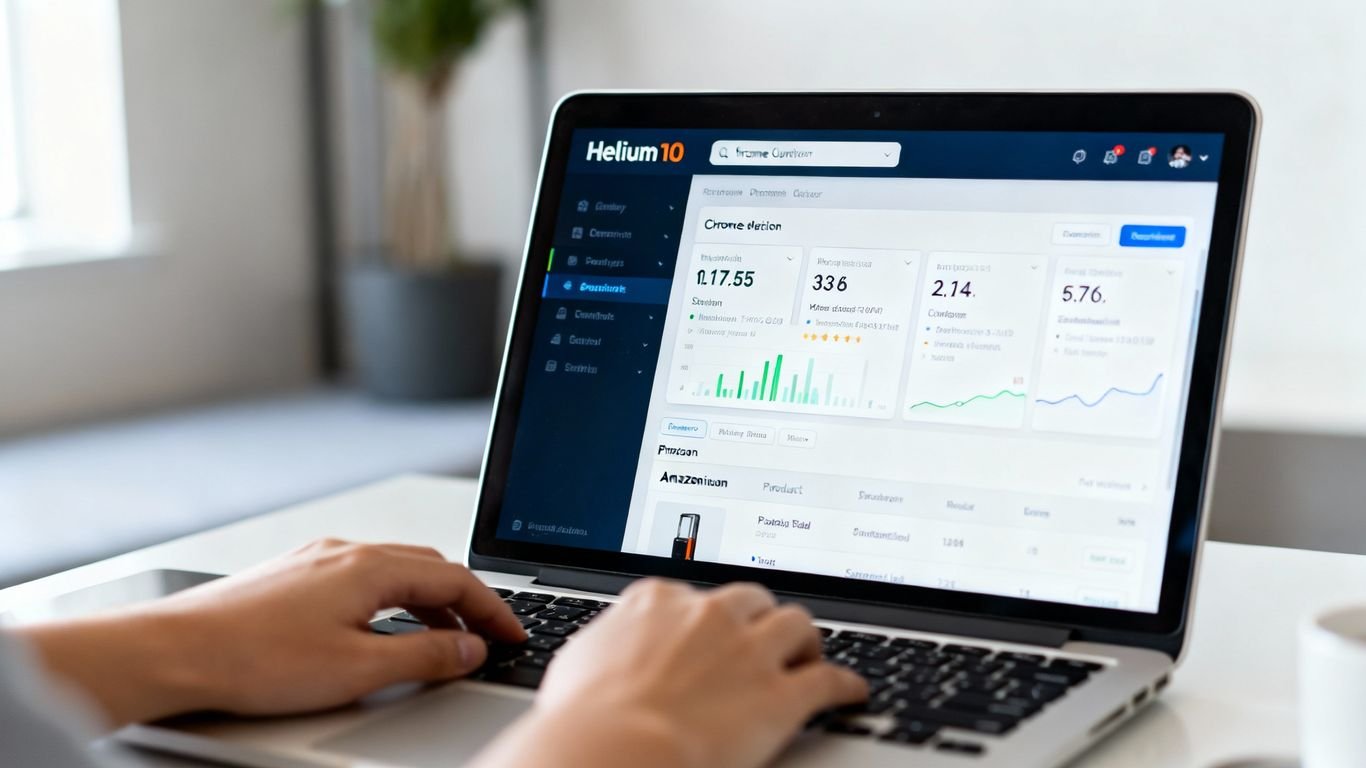
Selling on Amazon can feel like a guessing game sometimes, right? You see a product, think it might sell, and then just hope for the best. But what if you could actually see the numbers behind it all? That’s where the helium 10 chrome extension comes in. It’s like having a secret decoder ring for Amazon, giving you real data instead of just hunches. We’re going to look at how this tool can really change how you find products and understand what’s selling.
Key Takeaways
The helium 10 chrome extension puts important product data right on your Amazon pages, making research quicker.
Tools like Xray let you see sales estimates, competition levels, and fee info instantly.
You can find suppliers and check if a product is likely to sell well using features like Supplier Finder and Demand Analyzer.
It helps you find better keywords and understand what shoppers really think about products through reviews.
The extension provides data to help you check profitability and protect your brand from issues like hijackers.
Unpacking The Helium 10 Chrome Extension: Your Amazon Toolkit
So, you’re looking to make some serious waves on Amazon, huh? It’s a jungle out there, and frankly, trying to figure out what sells and what doesn’t can feel like trying to find a needle in a haystack. But what if I told you there’s a tool that basically hands you a map and a compass for that haystack? That’s where the Helium 10 Chrome Extension comes in. It’s not just another browser add-on; it’s like having a seasoned Amazon pro sitting next to you, whispering all the secrets.
What Exactly Is The Helium 10 Chrome Extension?
Think of the Helium 10 Chrome Extension as your all-in-one command center for Amazon selling, right inside your browser. When you’re browsing Amazon, this little powerhouse activates and pulls back the curtain, showing you all sorts of data that Amazon usually keeps hidden. It’s designed to help you make smarter decisions, faster. It’s the closest thing you’ll get to having X-ray vision into the Amazon marketplace. Whether you’re just starting out or you’re a seasoned seller looking to optimize, this tool is built to simplify the complex.
Why This Extension Is A Game-Changer For Sellers
Honestly, before tools like this, product research and competitor analysis were a real grind. You’d spend hours digging through spreadsheets, trying to piece together information. The Helium 10 extension changes all that. It gives you real-time data on product demand, sales volume, pricing, and so much more, directly on the Amazon pages you’re already visiting. This means less guesswork and more data-backed confidence in your business moves. It’s about working smarter, not just harder, and that’s a big deal when you’re trying to grow.
Getting Started: A Swift Installation Guide
Getting this thing up and running is surprisingly simple. You don’t need to be a tech wizard. Here’s the lowdown:
Head to the Chrome Web Store: Just search for “Helium 10 Chrome Extension.”
Add It To Chrome: Click that “Add to Chrome” button and confirm.
Sign Up or Log In: If you don’t have a Helium 10 account, create one. Then, log in through the extension.
Start Exploring: Open up Amazon, and you’re good to go! The Helium 10 icon will pop up in your browser toolbar, ready to be activated on any product or search results page.
Once installed, the Helium 10 icon will appear in your toolbar. From there, you’ll be able to open the extension on any Amazon product or search results page and activate Xray with a click.
It really is that straightforward. You’ll be analyzing products and competitors in minutes, not hours. For more details on how to get the most out of it, check out the Helium 10 knowledge base.
Xray: The Heartbeat Of Your Product Research
Real-Time Product Analysis At Your Fingertips
Forget digging through endless spreadsheets or guessing what might sell. The Xray tool, a core part of the Helium 10 Chrome Extension, puts a treasure trove of data right at your fingertips. When you’re browsing Amazon (or even Walmart!), Xray gives you a quick snapshot of key product details without you having to leave the page. Think of it as your instant market scanner. It pulls in things like estimated monthly sales, total revenue, Best Seller Rank (BSR), whether an item is fulfilled by Amazon (FBA) or by the seller (FBM), pricing, and even estimated Amazon fees. This immediate access to actionable data is what separates informed sellers from those just hoping for the best.
Decoding Competitor Strategies With Xray
Xray isn’t just about looking at your own potential products; it’s a powerful tool for understanding the competition. By analyzing competitor listings, you can see what’s working for them. You get insights into their sales volume, review counts, and how long they’ve been around. This helps you spot opportunities and potential weaknesses in their strategies. For instance, if a competitor has high sales but a low number of reviews, it might suggest they’re new or have a product that’s gaining traction quickly. Conversely, a product with tons of reviews but stagnant sales could indicate market saturation or a product that’s past its prime.
Here’s a quick look at what Xray reveals:
Sales Estimates: How much money a product is likely making each month.
Revenue: The total estimated income for a product.
BSR (Best Seller Rank): How well a product ranks in its category.
Fulfillment Method: FBA or FBM, which impacts shipping and customer service.
Review Count: The number of customer reviews.
Review Velocity: How quickly new reviews are coming in.
Listing Age: How long the product has been available.
Beyond Basic Metrics: Deeper Insights Unveiled
While the basic numbers are great, Xray offers more. It includes a sales history graph that shows estimated monthly sales over time. This is super helpful for spotting trends. Is a product selling well year-round, or does it only spike during holidays? Does it have a steady upward trend, or is it declining? Seeing these patterns can save you from investing in products that are just fads or are on their way out. You can also filter search results to focus on specific types of products or sellers, helping you cut through the noise and find what’s truly relevant to your business goals. Remember, data is good, but understanding the story behind the data is even better.
Supercharge Your Sales With Specialized Tools
Alright, so you’ve got the Helium 10 Chrome Extension installed, and you’re probably wondering what else it can do besides just showing you product data. Well, buckle up, because this thing is packed with more handy tools than a Swiss Army knife at a camping trip. These aren’t just fancy extras; they’re designed to actually help you make more money and sell more stuff.
ASIN Grabber: Bulk Data For Targeted Ads
Ever needed to get a bunch of ASINs (Amazon Standard Identification Numbers) quickly? Maybe for setting up some targeted ad campaigns or just to keep a list of products you’re watching? The ASIN Grabber tool does just that. Instead of manually copying and pasting each ASIN from a search results page or a competitor’s listing, this tool lets you grab them all in one go. It’s a real time-saver, especially when you’re dealing with a lot of products.
How it works: Simply navigate to an Amazon search results page or a product listing page.
Click the ASIN Grabber icon in your Chrome extension toolbar.
Select the ASINs you want to copy (you can usually choose all or a specific range).
Click ‘Copy’ and paste them wherever you need them.
This is super useful for building custom audiences for your Amazon advertising or for quickly compiling lists for further analysis.
Profitability Calculator: Margins Made Clear
This is where things get serious. You found a product that looks good, but is it actually going to make you money? The Profitability Calculator is your new best friend for figuring this out. It takes into account all those pesky Amazon fees, shipping costs, and your product’s cost price to give you a clear picture of your potential profit margin and return on investment (ROI). No more guessing games with your bottom line.
Here’s a quick look at what it helps you calculate:
Selling Price: What you plan to sell the item for.
Product Cost: How much you paid for the item.
FBA Fees: Fulfillment by Amazon fees (storage, pick & pack, etc.).
Shipping Costs: From your supplier to Amazon.
Advertising Costs: Estimated ad spend.
Net Profit: The actual money you’ll make.
ROI: How much you’re getting back on your investment.
Understanding your true profit margins before you even order inventory is key to avoiding costly mistakes. This tool helps you make smarter sourcing decisions by showing you the financial reality of a product.
Inventory Levels: Keep An Eye On The Competition
Want to know how much stock your competitors have? The Inventory Levels tool gives you a peek behind the curtain. It shows you the estimated number of units a seller has available for sale. Why is this important? Well, if a competitor suddenly has a massive amount of stock, it might mean they’re about to run a big promotion. Or, if their stock is low, it could be an opportunity for you. It also helps you spot potential ‘hijackers’ – people trying to sell their own (often lower quality) version of your product under your listing.
Identify Stock Levels: See estimated inventory for competing sellers.
Spot Trends: Notice if stock is consistently high or low.
Detect Hijackers: Keep an eye on sellers who might be trying to piggyback on your listing.
Knowing your competition’s inventory situation can give you a strategic advantage, helping you time your promotions or product launches more effectively.
Gaining Customer Insights And Finding Suppliers
Alright, so you’ve got a product idea, maybe even a few. But how do you know if people actually like it, or if you can even get it made without breaking the bank? That’s where these next Helium 10 tools come in handy. They’re like your secret decoder ring for shopper minds and your direct line to the folks who make the stuff.
Review Insights: Tapping Into Shopper Sentiment
Ever wonder what people really think about a product? Forget sifting through hundreds of reviews yourself. Review Insights does the heavy lifting. It pulls in customer feedback from any product listing, highlighting common complaints, praises, and what shoppers are wishing for. This is gold for figuring out how to make your own product stand out or improve an existing one. You can see what bugs people, what they love, and where the gaps are in the market. It’s like having a crystal ball into customer desires.
Supplier Finder: Connecting With Alibaba
Found a winning product? Awesome. Now, where do you get it made? The Supplier Finder tool, powered by our pals at Alibaba.com, is your shortcut. Instead of bouncing around different websites, you can find potential manufacturers right from your Amazon research. Just click the “Find Suppliers on Alibaba” button within Xray, and bam! You’ll see listings that match your product. You can even filter by supplier location, how long they’ve been in business, and their ratings. It makes sourcing way less of a headache and helps you compare options without all the tab-switching.
Demand Analyzer: Verifying Niche Potential
Before you go all-in on a niche, you gotta make sure there’s actually demand. The Demand Analyzer helps you do just that. You can plug in a keyword and get a quick overview of how popular it is. It shows you search volume for related terms and highlights other top-selling products in that space. This helps you confirm if a niche is worth pursuing or if it’s just a dead end. It’s a smart way to avoid investing time and money into something that won’t sell.
Understanding what customers want and finding reliable suppliers are two sides of the same coin. Get one wrong, and your whole operation can falter. These tools help you get both right.
Mastering Keywords And Market Demand
Alright, let’s talk about keywords. You know, the magic words that get your product seen on Amazon. It’s easy to get fixated on just one perfect keyword, but people search in all sorts of ways. That’s where Helium 10’s tools really shine, helping you see the whole picture.
Search Expander: Unearthing Long-Tail Keywords
Think of Search Expander as your keyword detective. When you’re looking at a product on Amazon, this tool doesn’t just give you the obvious terms. It digs deeper, finding those longer, more specific phrases – the “long-tail keywords” – that shoppers use when they know exactly what they want. These can be goldmines because they often have less competition and attract buyers who are ready to purchase.
Find niche phrases: Discover terms you wouldn’t have thought of.
Reduce competition: Target buyers with specific intent.
Boost relevance: Improve your listing’s match to shopper searches.
Xray Keywords: Dominating Organic Search
This is where the Helium 10 Chrome Extension really shows its muscle. Forget bouncing between different tools. When you’re on a product page or a search results page, just click the Helium 10 icon and select “Xray Keywords.” Boom! You get a list of the top keywords that specific product is ranking for, right there. It’s like getting a peek inside your competitor’s keyword playbook.
Instant Analysis: See top keywords without leaving the page.
Customizable Filters: Narrow down results by search volume, organic rank, and more.
Competitor Insights: Understand what drives traffic to successful listings.
You can even tweak the settings to only show keywords where a listing ranks in the top 20, or those with over 1,000 monthly searches. It’s about getting the data that actually matters for your strategy, fast.
Leveraging Amazon’s Search Bar For Research
Don’t underestimate the power of Amazon’s own search bar! As you start typing a keyword, Amazon suggests related terms. These “autocomplete” suggestions are based on what real shoppers are searching for. While not as detailed as Helium 10, it’s a quick way to spot popular variations and related ideas. Combine this with Xray, and you’ve got a solid foundation for understanding market demand and finding those killer keywords.
Advanced Strategies For A Competitive Edge
Beyond Search Results: Xray On Best Sellers Pages
Sure, digging through search results is standard practice, but why stop there? The Helium 10 Chrome Extension lets you run Xray directly on Amazon’s Best Sellers pages. This means you can get a snapshot of what’s already flying off the virtual shelves in any given category. It’s like getting a cheat sheet for market demand. You can quickly see top-performing products, their sales estimates, and review counts without even clicking into individual listings. This is your fast track to identifying proven winners.
Seller Location & Listing Age: Key Market Indicators
Ever wonder where your competitors are based or how long their listings have been around? Xray can show you this data. Knowing a seller’s location might give you clues about their logistics or market focus. More importantly, listing age can tell you a lot. A product that’s been selling well for years might be stable, but a newer listing that’s rapidly climbing the ranks could indicate a hot new trend or a particularly clever seller. It helps you gauge the maturity and potential disruption within a niche.
The Two-Factor Success Score: Qualifying Niches Efficiently
When you’re looking at potential niches, it’s easy to get overwhelmed. Helium 10 helps simplify this with a kind of ‘two-factor’ approach to qualifying opportunities. You’re looking at both the demand (how many people are searching and buying) and the competition (how hard is it to rank and sell). A niche might have high demand, but if the top sellers have thousands of reviews and are established brands, it might be too tough. Conversely, low demand means fewer sales, no matter how weak the competition. The sweet spot is solid demand with manageable competition.
Here’s a quick way to think about it:
Demand: Look for consistent search volume and sales estimates. Is this a product people actually want?
Competition: Check the number of reviews for top sellers, their listing quality, and how long they’ve been around. Can you realistically compete?
Finding that balance is key. You want a market that’s active enough to generate sales but not so crowded that you’ll get lost in the shuffle. It’s about smart entry, not just jumping into the first thing that looks popular.
Profitability, Pricing, And Protection
Alright, let’s talk about the nitty-gritty: making sure your products actually make you money and keeping your brand safe. It’s not just about getting your product listed; it’s about making sure it’s a smart business move and that nobody messes with your hard work.
Analyzing Profitability Factors: Price and Fees
So, you’ve found a product that looks like a winner. Great! But before you go ordering a truckload, you need to crunch the numbers. Amazon’s fees, shipping costs, and even the dimensions of your product can eat into your profits faster than you can say “FBA fees.” The Helium 10 Chrome Extension has a built-in Profitability Calculator that’s a lifesaver here. It takes into account things like Amazon’s referral fees, FBA fulfillment costs, and storage fees. Even a small change in product size can make a big difference to your bottom line. Seriously, a single inch can shift your profit margin significantly, especially when you’re moving units daily. It’s all about understanding those backend data points to forecast consumer behavior and maximize what you actually pocket.
Here’s a quick look at what impacts your profit:
Product Price: What you charge your customers.
Amazon Referral Fee: A percentage of the sale price.
FBA Fulfillment Fee: Based on product size and weight.
Storage Fees: Monthly costs for keeping inventory in Amazon warehouses.
Shipping Costs: From your supplier to Amazon.
Don’t just look at the selling price. You’ve got to factor in all the costs involved. What looks like a good profit on paper can disappear quickly if you haven’t accounted for every single fee and expense.
Detecting Review Manipulation: A Seller’s Vigilance
We all want glowing reviews, but some sellers try to cheat their way to the top. It’s frustrating, but you can learn to spot the signs. One big clue is review velocity – how many reviews a product gets compared to its sales. If a product has a ton of sales but a suspiciously low number of reviews, or vice-versa, it might be a red flag. The Xray tool shows you the number of reviews a product has gained over a specific period. If you see a seller getting one review for every 10 sales, that’s pretty aggressive and worth investigating. It’s not always a smoking gun, but it’s definitely something to keep an eye on when you’re sizing up the competition. You can find some great tools to help with product research that also highlight these metrics.
Protecting Your Brand: Trademarks and Hijackers
Once you’ve built a brand, you need to protect it. Amazon hijackers are a real headache, and trademarks are your first line of defense. Getting a trademark for your brand name and logo is super important. It gives you the legal standing to fight back if someone tries to sell counterfeit versions of your product or mess with your listings. Amazon Brand Registry, which you can apply for once you have a trademark, offers additional protections and features like A+ Content. It’s a bit of paperwork, but it’s worth it to safeguard your business and your reputation. There are services that can help streamline the trademark process, making it less of a chore.
Making sure your business makes money, setting the right prices, and keeping your products safe are super important. We help you figure out the best ways to do all of this so you can grow. Want to learn more about how we can boost your profits and protect your brand? Visit our website today!
So, What’s the Takeaway?
So, we’ve gone through what the Helium 10 Chrome Extension can do. It’s not magic, but it’s pretty darn close for anyone trying to figure out the Amazon maze. Instead of just staring at product pages and hoping for the best, you’ve got actual numbers to look at. You can check out competitors, get a feel for sales, and even start thinking about suppliers. It’s like getting a cheat sheet for the biggest online store around. If you’re serious about selling, give it a whirl. You might just find it makes things a whole lot less confusing, and maybe, just maybe, a lot more profitable too. Now go forth and sell!
Frequently Asked Questions
What is the Helium 10 Chrome Extension?
Think of the Helium 10 Chrome Extension as a helpful toolbox for selling on Amazon. It adds special features right into your web browser when you’re looking at Amazon. It helps you find out important details about products, like how much they might be selling for and what customers think.
How do I get started with the Helium 10 Chrome Extension?
It’s super easy! Just go to the Chrome Web Store, search for ‘Helium 10 Chrome Extension,’ and click ‘Add to Chrome.’ After it’s installed, you’ll need to create a Helium 10 account (or log in if you already have one) and then you can start using it on Amazon.
What does the Xray tool do?
Xray is like the main feature of the extension. When you’re on an Amazon product page or a list of products, Xray shows you a bunch of useful numbers right away. This includes how many sales a product might be getting, how much money it’s making, and how many people are selling it.
Can this extension help me find products to sell?
Absolutely! Tools like Xray help you see which products are popular and making money. Other parts of the extension can help you find keywords people are searching for, check if a product idea is good, and even find suppliers if you want to make your own product.
Is the sales data in the extension completely accurate?
The sales numbers are really good estimates based on real information from Amazon. They’re great for spotting trends and seeing what’s popular, but they aren’t perfect down to the last dollar. It’s best to use them for making smart decisions rather than exact financial plans.
Does the Helium 10 Chrome Extension cost money?
You can get the basic Helium 10 Chrome Extension and some of its tools, like Xray, for free. This lets you try it out and see how helpful it is for your Amazon selling journey. There are also paid versions with even more advanced features.